IPSYSTEMS Email Signature Generator
Welcome to the IPSYSTEMS Email Signature Generator! With this tool,
you can create an email signature in just a few clicks.
Here are the steps to use the generator:
Step 1: Click the "Create Email Signature" button
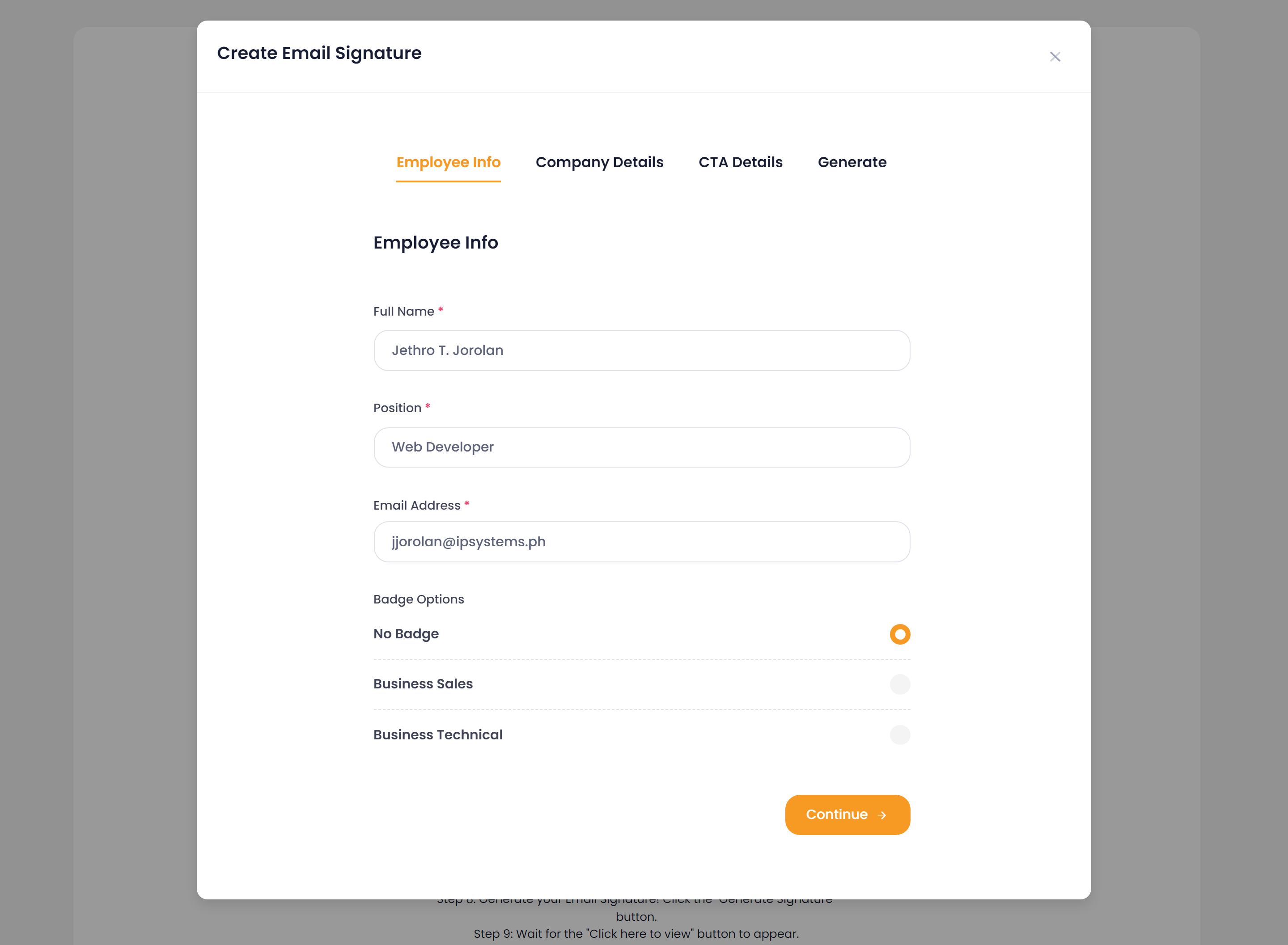
Step 2: Fill out the Employee Info section with your Full Name, Position, Email Address, and select one of the Badge Options available (No Badge, Business Sales, or Business Technical).
Step 3: Click the "Continue" button.
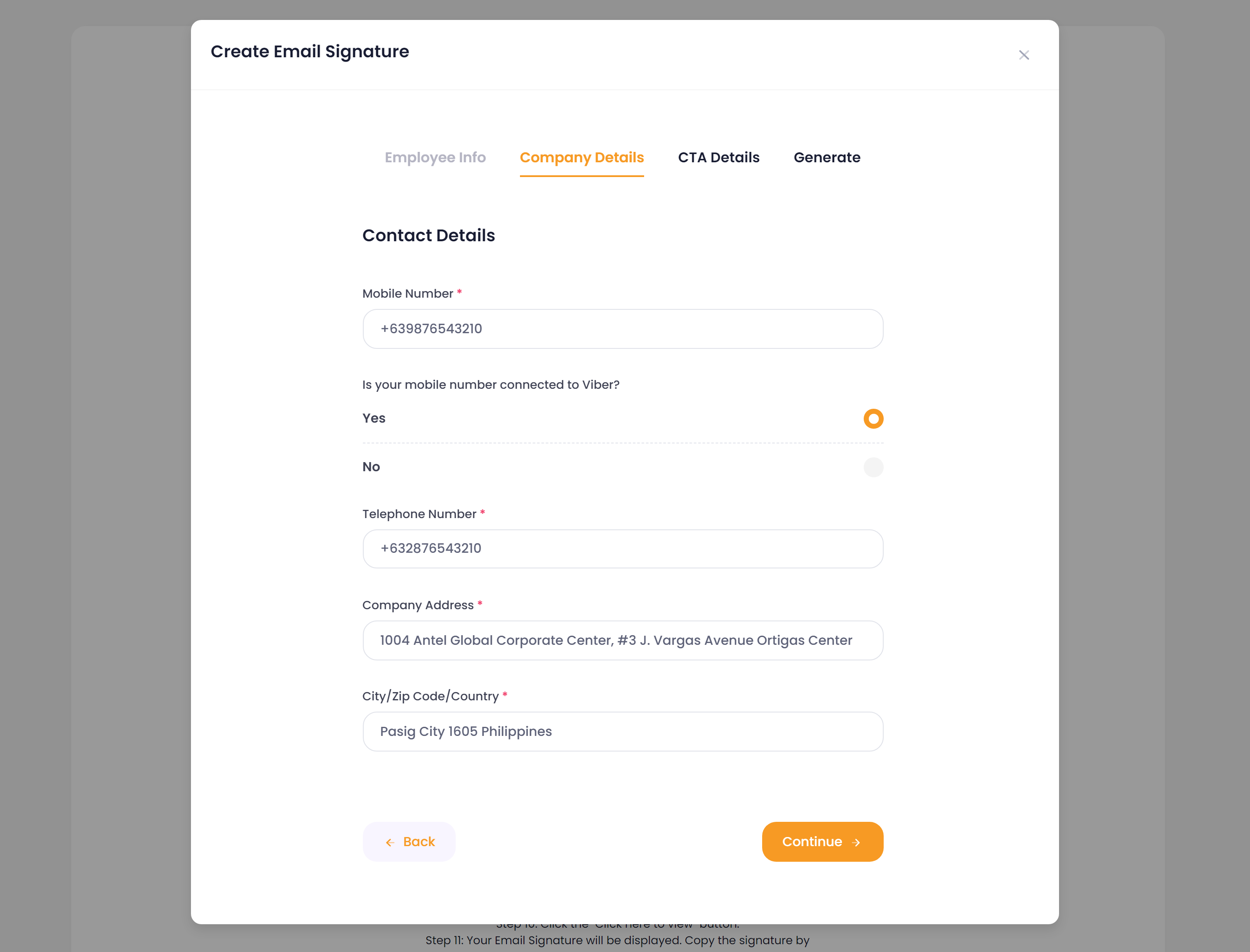
Step 4: Fill out the Contact Details section with your Mobile Number, and indicate if your mobile number is connected to Viber. Also, enter your Company Telephone Number, Company Address, City, Zip Code, and Country.
Step 5: Click the "Continue" button.
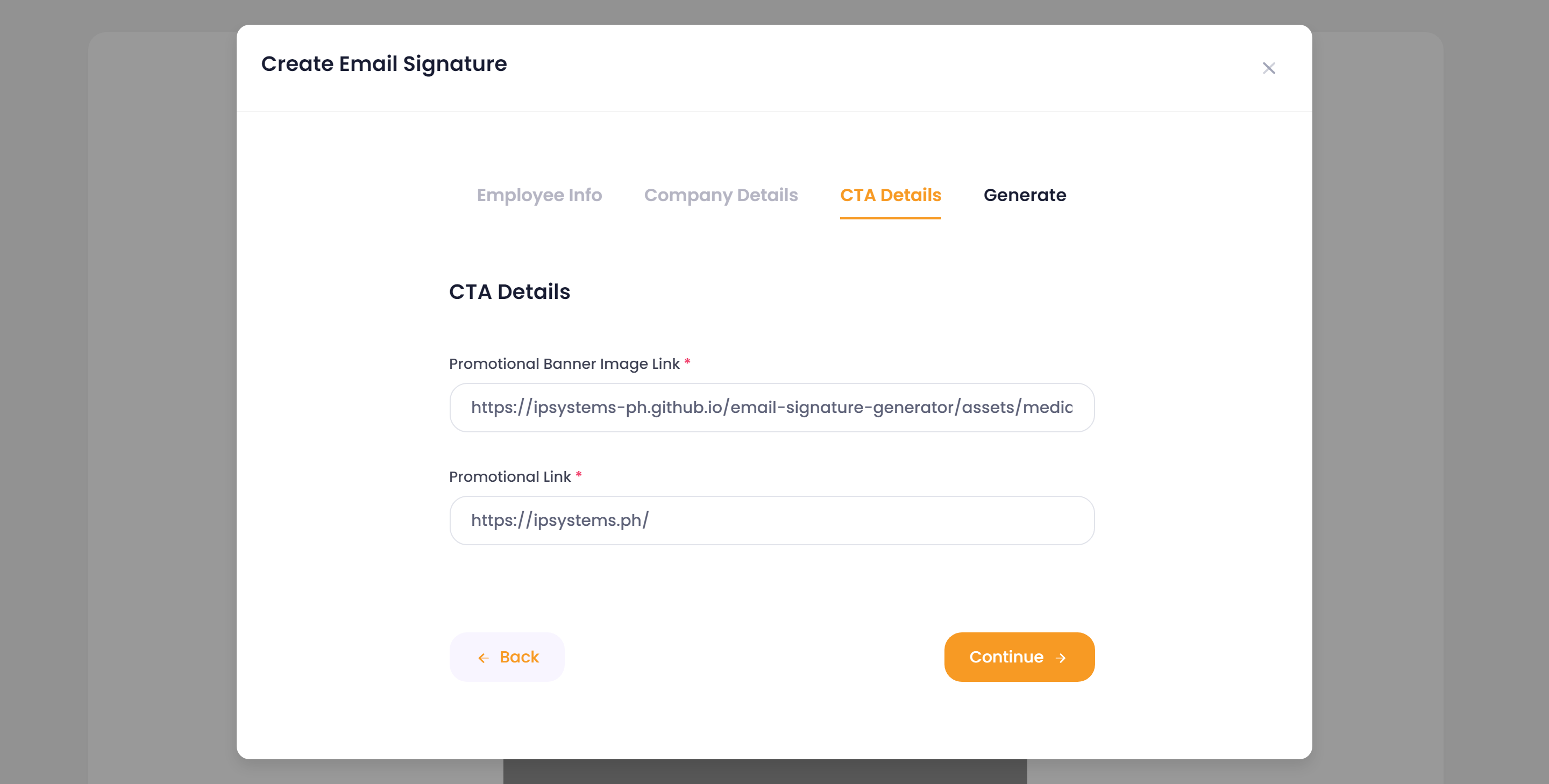
Step 6: Fill out the CTA Details section with your Promotional Banner Image Link and Promotional Link.
Step 7: Click the "Continue" button.
Step 8: Generate your Email Signature! Click the "Generate Signature" button.
Step 9: Wait for the "Click here to view" button to appear.
Step 10: Click the "Click here to view" button.
Step 11: Your Email Signature will be displayed. Copy the signature by clicking the "Copy Signature" button.
That's it! You can now paste your new Email Signature into your outlook. Thank you for using our Email Signature Generator!
How do I create a signature for Outlook on the web and Outlook.com?
Once you have generated and copied your new Email Signature using the Email Signature Generator, you can easily paste it into your Outlook Office365 account by following these instructions:
Step 1: Open Outlook Office365 and go to the "Settings" menu by clicking on the gear icon in the top-right corner.
Step 2: Click on the "View all Outlook settings" option at the bottom of the Settings menu.
Step 3: In the left-hand pane, select the "Compose and reply" option.
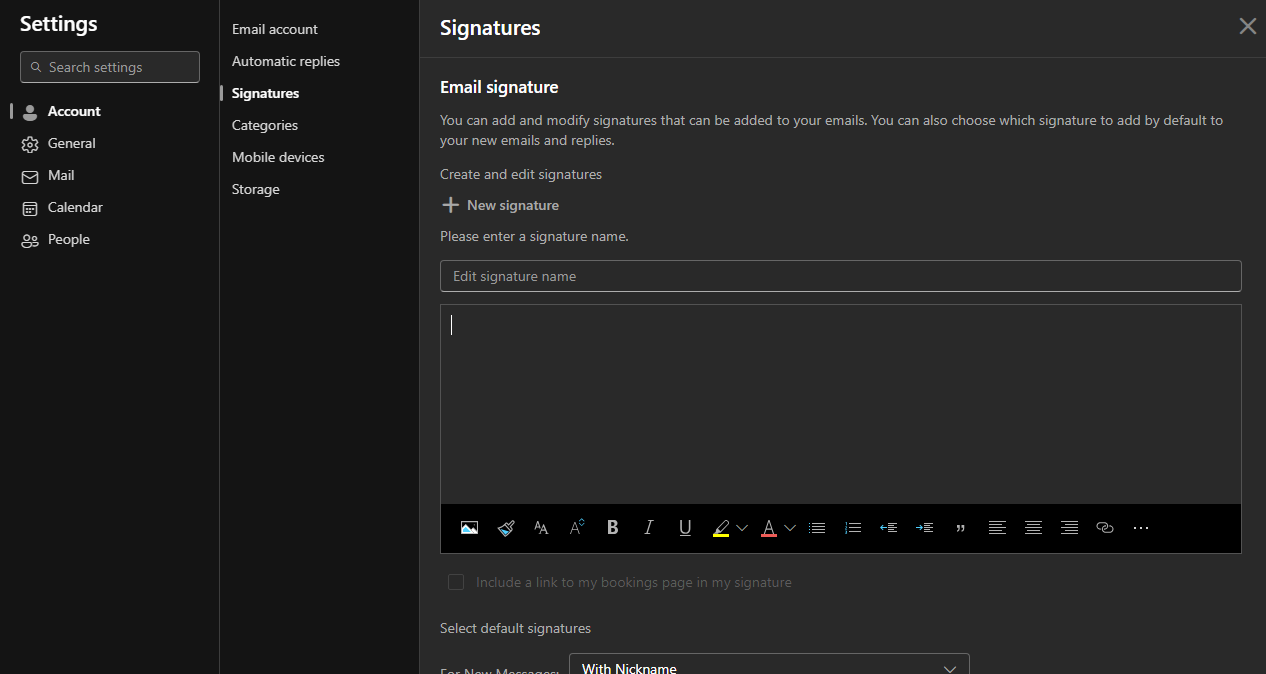
Step 4: Scroll down to the "Email signature" section and click on the text box.
Step 5: Paste your new Email Signature into the text box by pressing "Ctrl+V" or right-clicking and selecting "Paste".
Step 6: Scroll down to the bottom of the "Compose and reply" section and click "Save" to save your changes.
That's it! Your new Email Signature is now ready to use in Outlook Office365.